
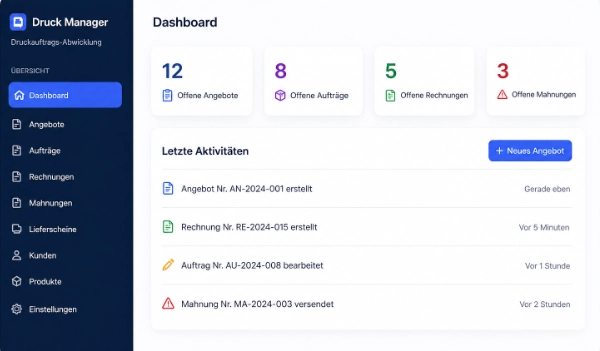
PrintDesk works standalone and manages your complete print workflow centrally: customers, products, quotes, orders, invoices and reminders – without requiring a shop system.


Connect WooCommerce, Shopify or other shop systems with PrintDesk. Shop orders flow in automatically, become print jobs and all print products remain centrally managed in PrintDesk.

 Shopify
GDPR compliant
Shopify
GDPR compliant
 OrderInvoice
PrintDesk integrates with your shop system (e.g. WooCommerce), picks up incoming orders – and then runs completely independently. Quotes, orders, invoices and the entire print workflow happen outside the shop: in a dedicated, professional environment for print shops. No chaos in the shop backend, no mixing of sales and production.
Orders from WooCommerce & others are automatically imported.
Documents, production and dispatch run in PrintDesk – independent of the shop.
WooCommerce today, another system tomorrow – PrintDesk remains your stable centre.
Three use cases – one platform.
PrintDesk imports WooCommerce orders automatically as print jobs and continues confirmations, production and invoicing centrally.
ShopifyPrintDesk connects Shopify shops, pulls in orders and turns them into structured print jobs with central product management.
No online shop needed. PrintDesk runs completely standalone as a web-based application for your print shop.
PrintDesk covers the entire workflow from shop intake to finished invoice – fully automated and in one system.
Seamless WooCommerce and Shopify connection. Shop orders are automatically imported and processed immediately.
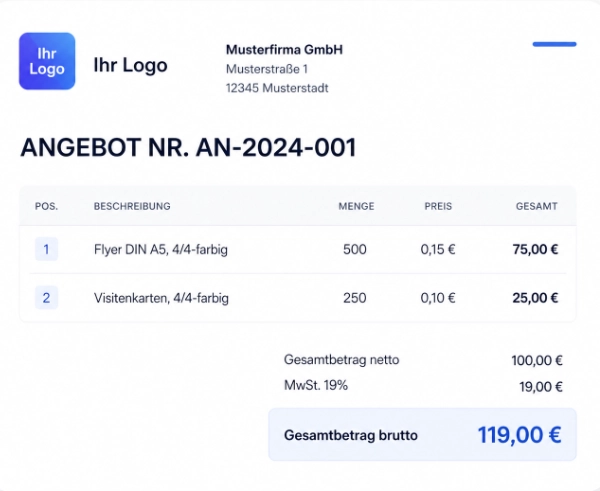
Quote → Order → Delivery Note → Invoice → Reminder – one click, no data re-entry.
Professional PDFs with your letterhead, directly from the system – no additional software.
Design custom document layouts visually – no coding required. Individual branding for every document type.
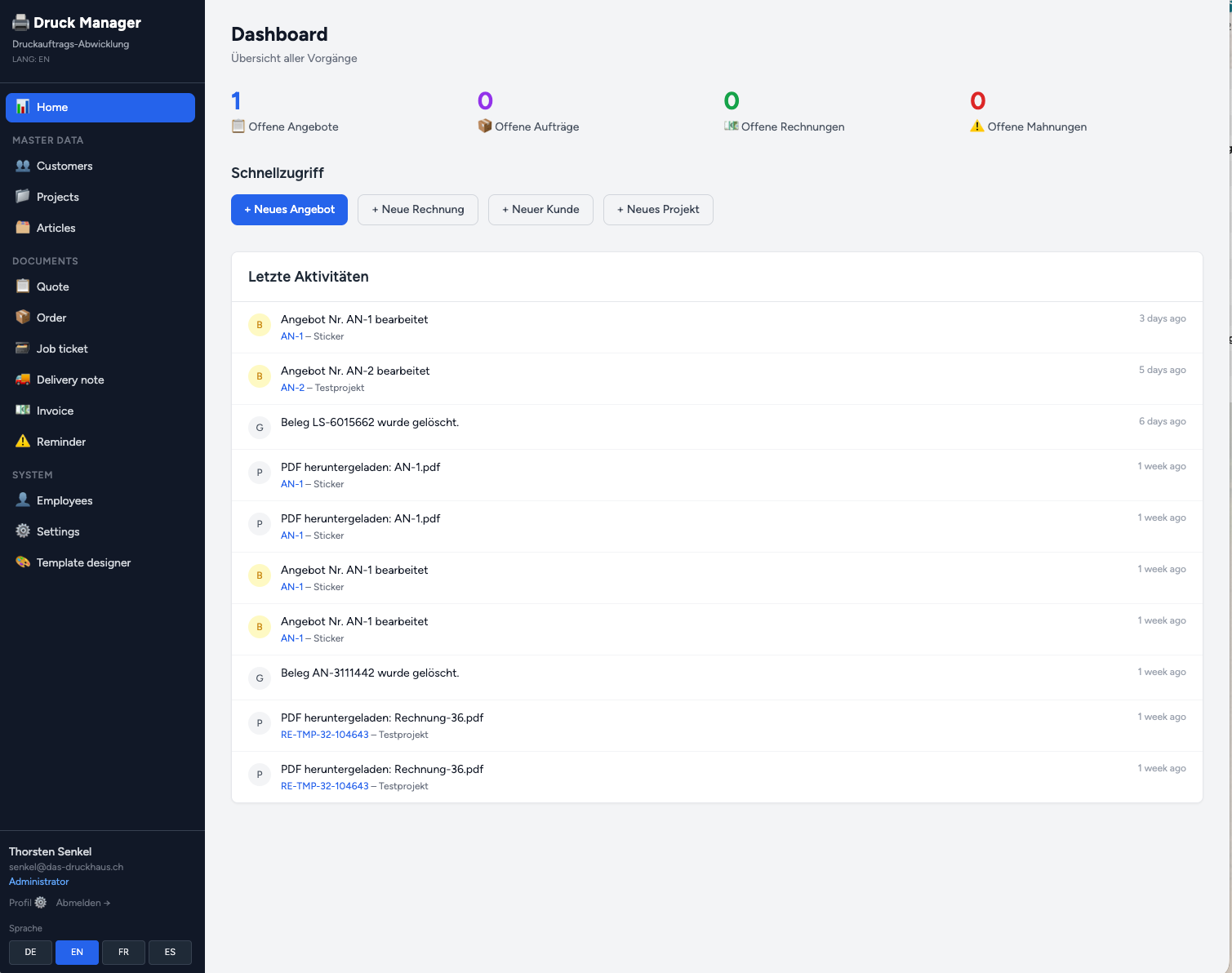
All print jobs, statuses and documents at a glance – for clerks and admins alike.
Quantity-based price tiers per item: e.g. 1–99 pcs @ €0.80, from 100 pcs @ €0.55.
Customers, contact persons, projects and all related documents organized in one place.
Send documents directly from PrintDesk via SMTP – with the generated PDF automatically attached.
Admin and clerk roles. Settings, templates and user management are admin-only protected.
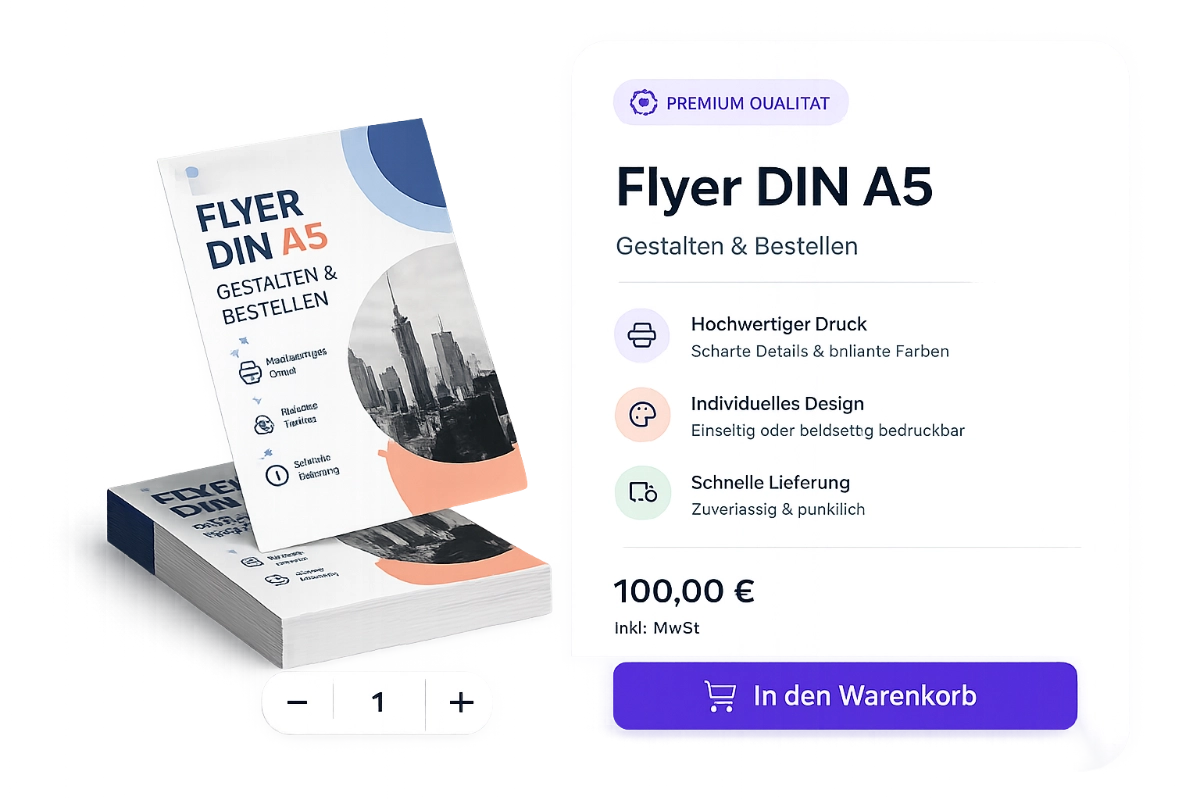
Manage products and variants centrally in PrintDesk and synchronize them with WooCommerce or Shopify.
Import Shopify orders automatically, take over customer and order data and turn them into print jobs.
PrintDesk works standalone and with shop systems, depending on how your print shop operates.
PrintDesk gives you everything you need to manage your print workflow professionally and efficiently.
PrintDesk is available in German, English, French and Spanish – ideal for international print shops.
Design quotes, invoices and more with your own branding – directly in the integrated template designer.
Flexible volume pricing system for print-typical calculation: e.g. 1–99 pcs @ €0.80 / 100+ pcs @ €0.55.
Four steps from shop intake to finished print production – fully automated.
A solution that saves print shops time and effort every day.
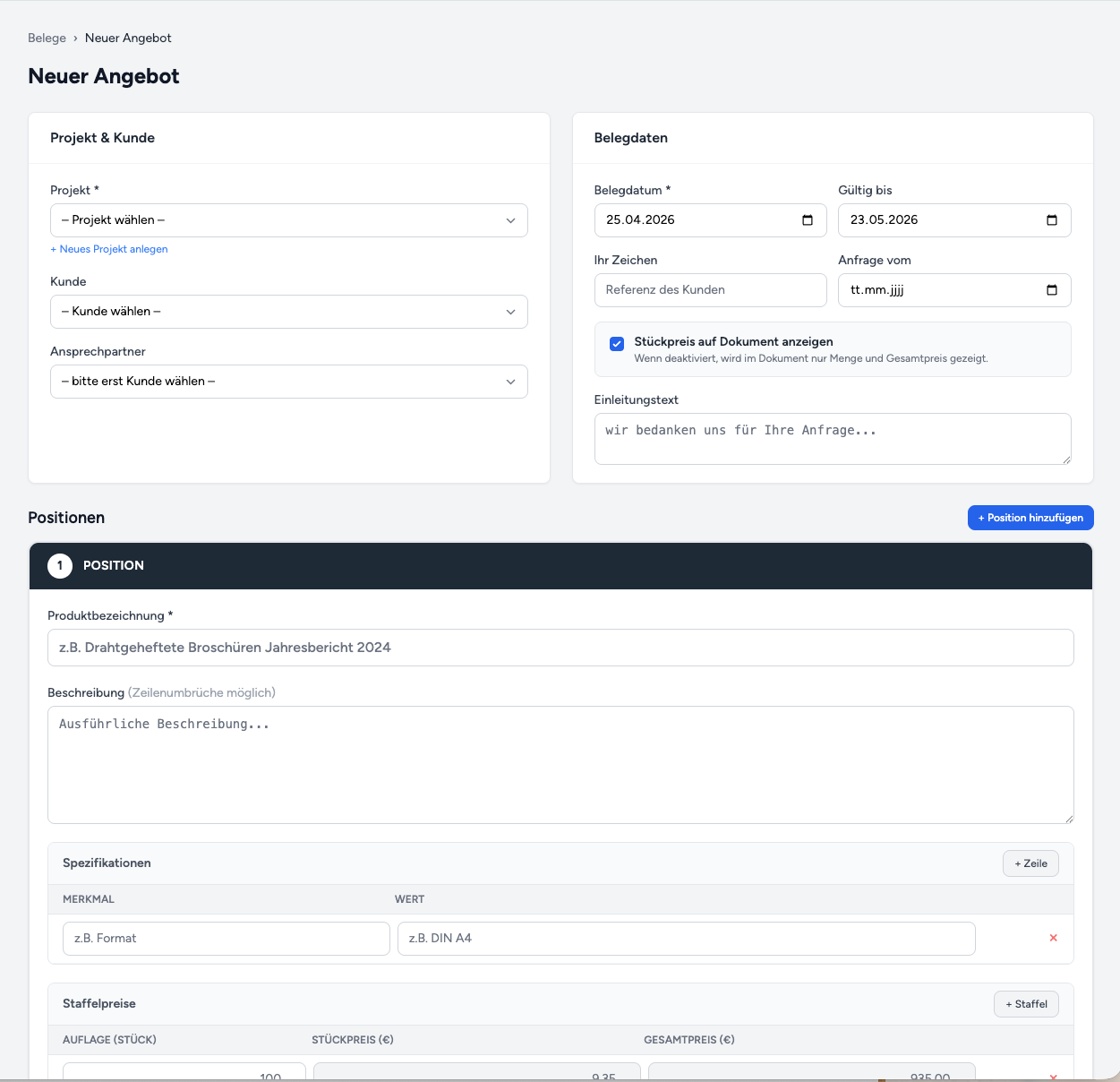
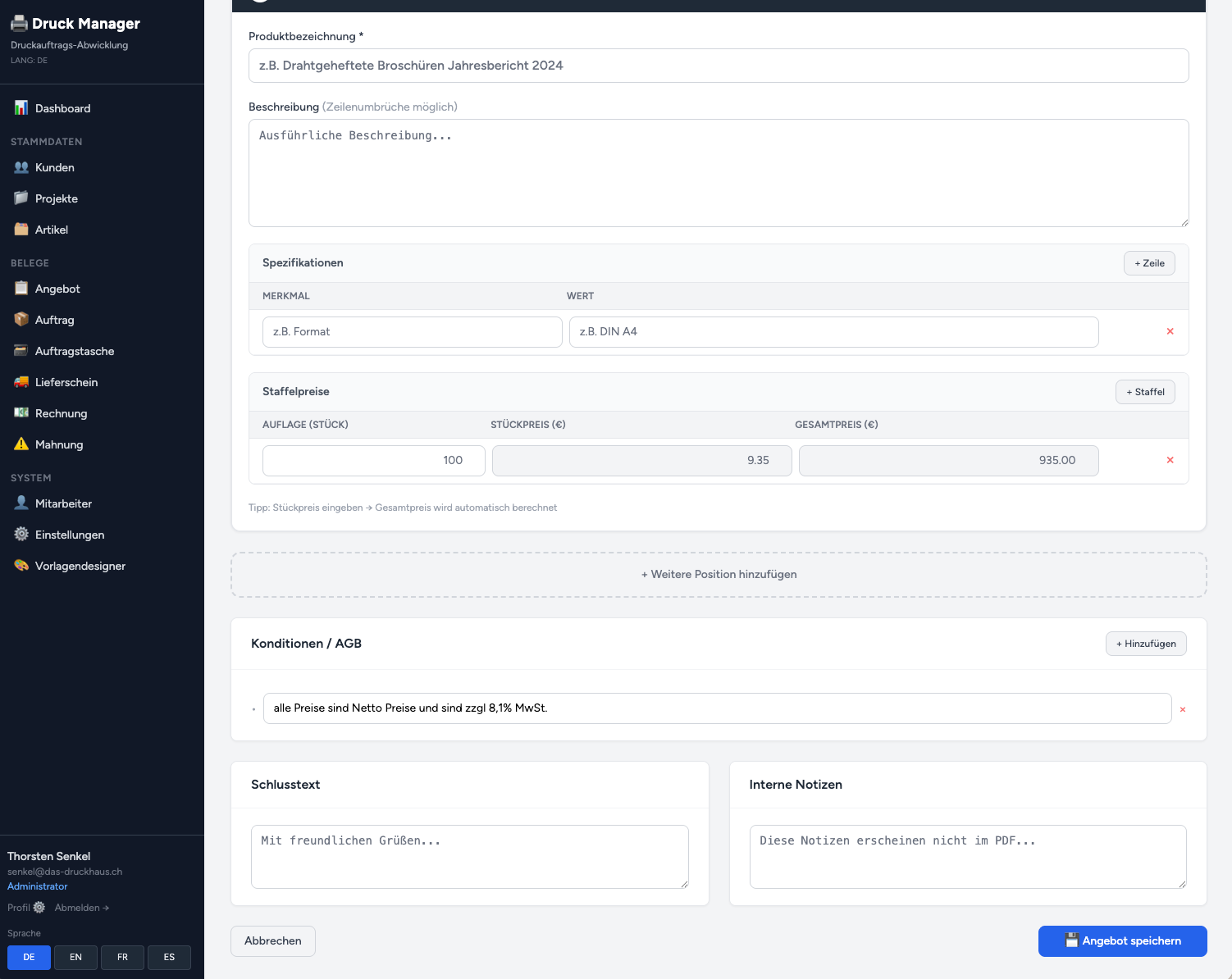
PrintDesk manages the entire lifecycle of a print job: Quote → Order → Delivery note → Invoice → Dunning notice. Each document is created with one click from the previous one – no data loss, no duplicate entry.
Click a step for details.
The starting point for every print job. Created with positions, tiered prices and conditions – and convertible to a binding order with one click. All data is carried over, no re-typing required.
Define as many price tiers as you like for each position: 100 pcs @ €9.35, 500 pcs @ €6.20, from 1,000 pcs @ €4.50. The total price is calculated automatically. All tiers are transferred 1:1 to WooCommerce as variant prices – no manual rework required.
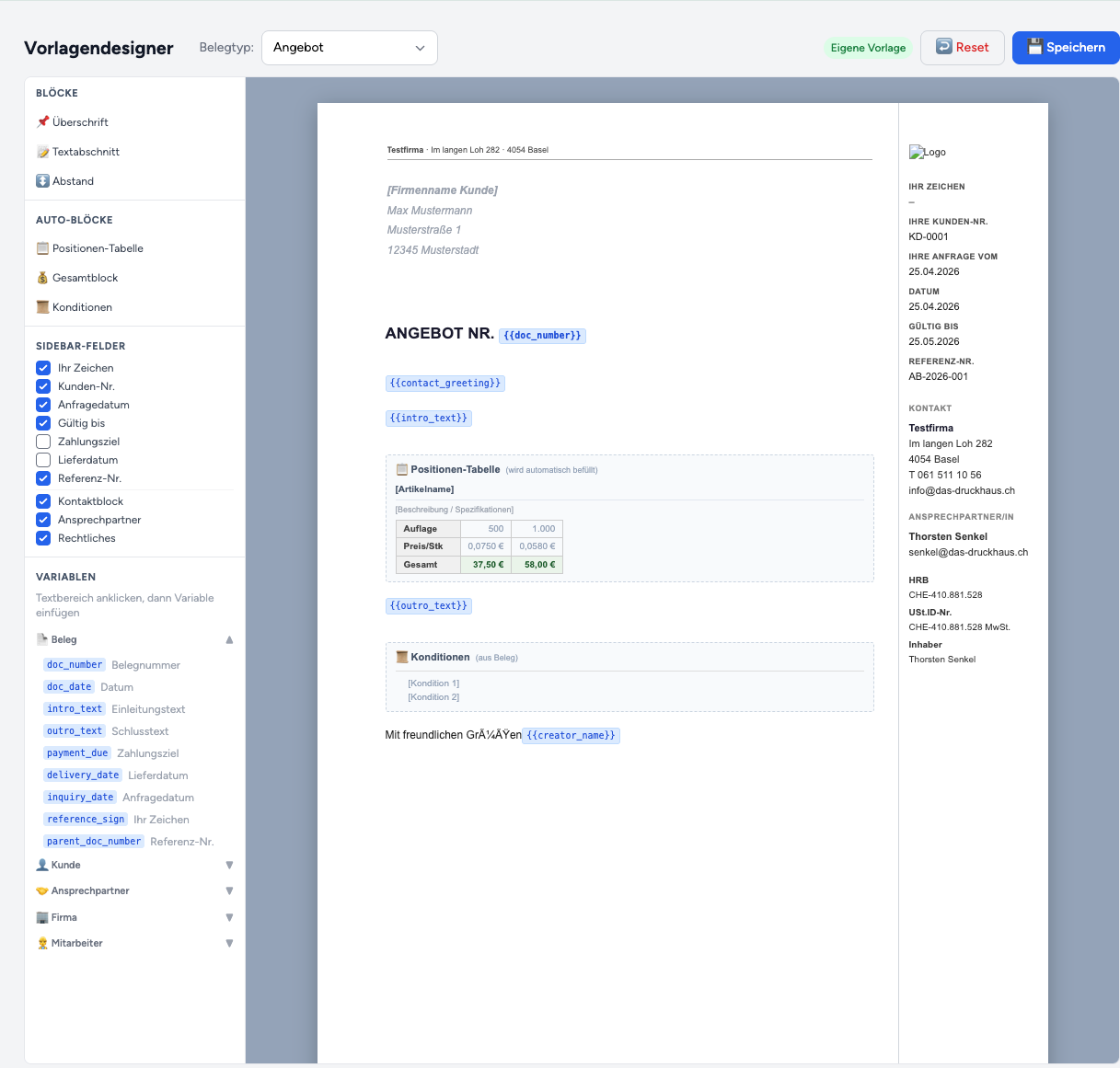
Every quote, every invoice, every delivery note carries your branding. In the integrated template designer you define with a click which fields appear, where they are placed and how they look – without a single line of code.
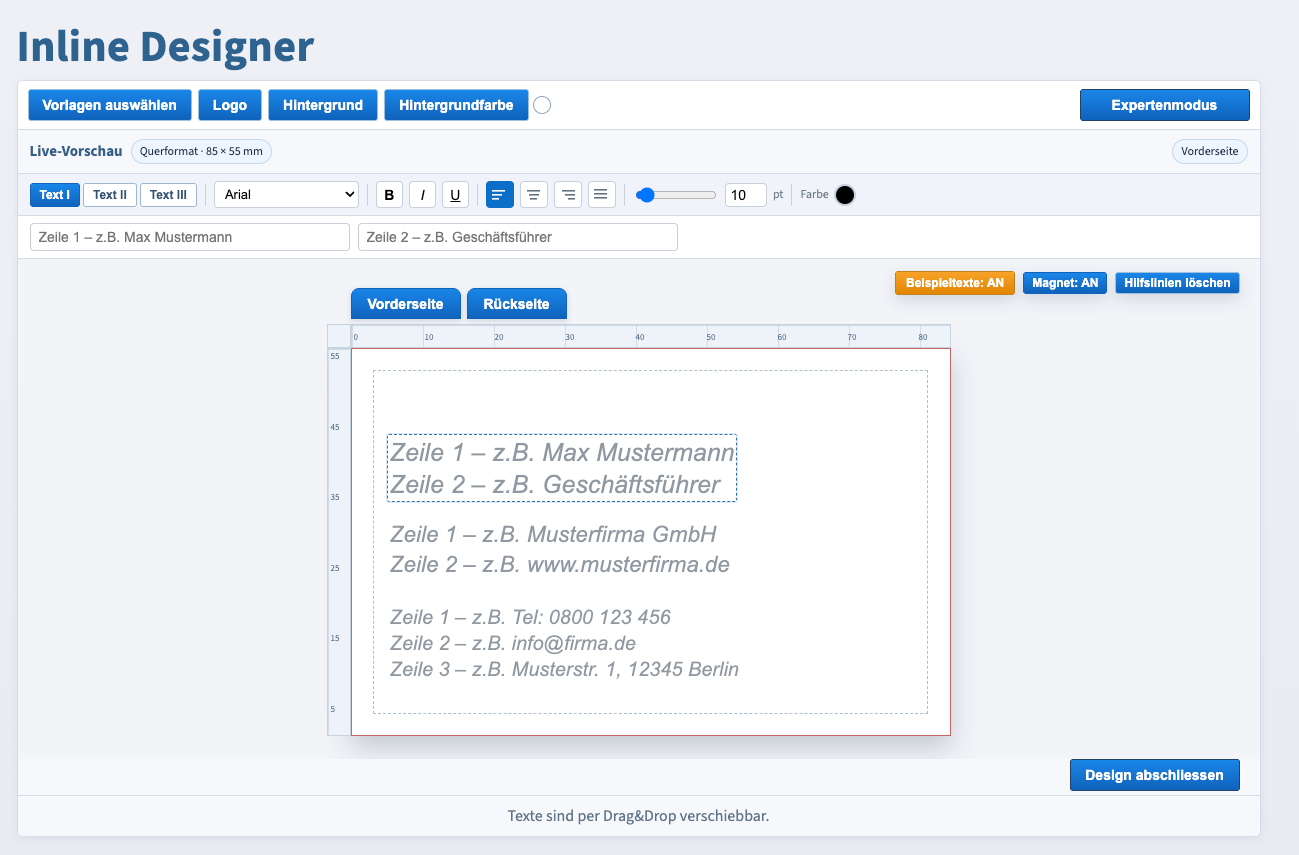
{{doc_number}}, {{intro_text}} and many more inserted directly into textBusiness cards, flyers, stickers – your customers design directly in the browser, via drag & drop, without downloads or external software. The finished design is handed over as a print-ready file to Druck Manager.
Customers see their design immediately – front and back, in the exact print format.
Font, size, colour, alignment – all freely adjustable. Upload own logo with one click.
Professional positioning thanks to magnetic snap and removable guides.
The finished design lands directly as a print file in the job – no manual transfer.
Start for free and switch to Premium when you're ready – no risk, no contract commitment.
Free forever
Premium
Introductory offer · cancellable monthly
Requires Premium
Everything you want to know before getting started.
Yes, completely. PrintDesk runs standalone as a web-based application. Manage customers, projects, quotes, orders and invoices directly in PrintDesk – no shop system required. WooCommerce is an optional integration.
PrintDesk connects via the WooCommerce REST API. Enter your API key in the settings – new orders are then automatically imported as jobs. Products and variants can also be published from PrintDesk directly to WooCommerce.
Yes. The integrated template designer lets you create custom PDF layouts for each document type – with your logo, letterhead and colour scheme. No programming required. Without a custom template, professional standard PDFs are generated.
PrintDesk covers six document types: Quote, Order, Job Ticket, Delivery Note, Invoice and Reminder. Each document can be generated with one click from its predecessor – all data is carried over, numbers assigned automatically.
Each item can have multiple price tiers (e.g. 1–99 pcs @ €0.80 / from 100 pcs @ €0.55). These are reflected correctly in WooCommerce as variant prices.
Yes. PrintDesk distinguishes between Admin and Clerk. Admins have access to settings, template designer and user management. Inactive accounts are blocked automatically.
Yes. PrintDesk sends documents via SMTP directly from the system – with the PDF automatically attached. SMTP credentials are stored once in the settings.
Yes. The interface is available in German, English, French and Spanish.
Write to us – we'll set up PrintDesk together with you.
Our team will set up PrintDesk together with you. Write to us – we'll reply within 24 hours.
Druckhaus interactive GmbH
Hubertusstrasse 203
47798 Krefeld, Germany
We reply within 24 hours on business days.


